
Your Browser Has a Face. Advertisers Know It.

In 2019, Google published a blog post calling browser fingerprinting "wrong." Their exact words: it "subverts user choice." They positioned themselves as advocates for a more private web — the company fixing tracking, not enabling it.
In February 2025, Google announced that advertisers on its network can now use fingerprinting to target users. No cookie banner. No opt-out. No explanation of why "wrong" became standard practice in six years.
The UK's Information Commissioner's Office responded that fingerprinting is "not a fair means of tracking users online." Security researchers called it "the biggest privacy erosion in 10 years." Google called it part of the Privacy Sandbox initiative.
That gap — between 2019 and 2025, between "wrong" and "allowed" — is what this post is about.
What it is and why it's different from cookies
The tracking conversation for the past decade has mostly been about cookies — small files websites store on your device to recognize you. Annoying, but manageable. You can delete them, block them, or decline them via the banners that now take up half every webpage. The mechanism requires leaving something on your device, which means you have some control.
Fingerprinting stores nothing on your device. It just observes you.
The analogy that makes it click: cookies are like a name tag that can be peeled off. Fingerprinting is like identifying someone by their gait. Clear your cookies, run a cleaning tool, start a fresh browsing session — your browser still walks the same way.
What gets observed: browser version, operating system, screen resolution, color depth, installed fonts, time zone, language, keyboard layout, which extensions you have installed. On their own, none of those are remarkable. Combined, they create a profile specific enough to identify you with uncomfortable accuracy. The EFF has been tracking this for years — their data shows 83.6% of browsers have fingerprints unique enough to identify them individually. Over 10,000 of the web's most-visited sites are already using fingerprinting in some form, according to research out of Texas A&M and Johns Hopkins published in June 2025.
The techniques that make this possible aren't obvious, and they're worth understanding because they run silently every time you load a page.
Canvas fingerprinting: A script tells your browser to draw something — text, shapes, a color gradient — on an invisible canvas element, then reads back the pixel data. Every device renders it slightly differently because of variations in GPU, drivers, font rendering, and OS graphics stack. Those differences are consistent for your device and unique across devices. The script captures the delta. You see nothing. It takes milliseconds.
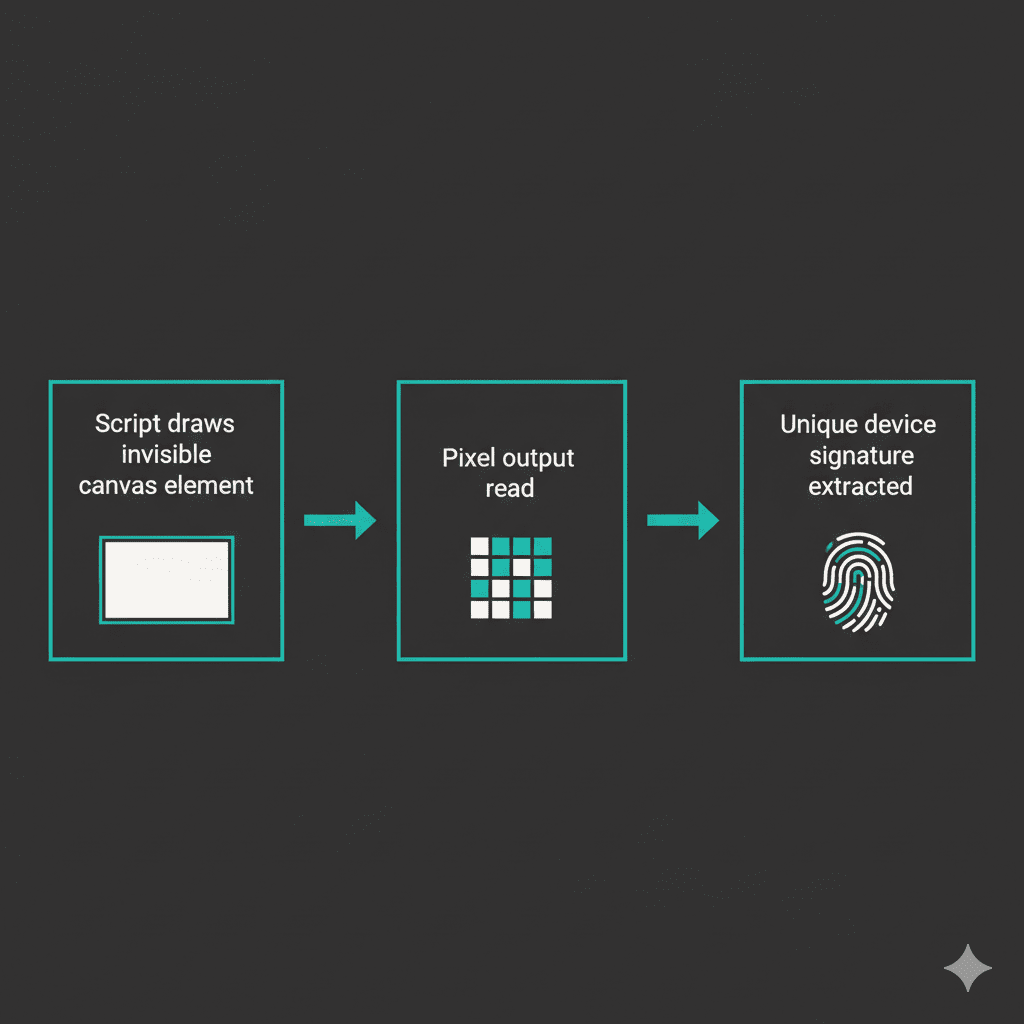
WebGL fingerprinting: Same idea but goes deeper — into your GPU's 3D rendering capabilities. Instead of flat shapes, it runs 3D scenes and reads how your specific graphics card handled them. GPU model, driver version, rendering quirks: all produce a signature. More unique than canvas. Combined with it, identification accuracy climbs dramatically.
Audio fingerprinting: The Web Audio API generates a signal; your device's audio stack processes it. Because audio hardware and drivers vary by manufacturer and version, the output is subtly, consistently unique to your setup. This runs silently in background JavaScript with no visible indication whatsoever.
Canvas fingerprinting alone uniquely identifies around 60% of users. Layer in WebGL, audio, and the rest — you're at 99%+. This is why my earlier post on beating Google at its own tracking game has gotten considerably harder to act on since it was written. The tracking ecosystem has been moving underneath the advice.
Why the Google reversal matters more than it sounds
With cookies, there's at least a mechanism. A banner. A right of refusal, however tedious. With fingerprinting: you can't delete it (it's based on your hardware, not a stored file), you can't see it happening (it runs in JavaScript with the page), and you can't opt out (there's no equivalent to declining cookies).
When Google reversed its policy in February 2025, the decision wasn't just about Google's own advertising products. Google runs the largest ad network on the web. When they legitimize a tracking technique, the ecosystem follows — other networks adopt it, publishers integrate it, what was aggressive fringe behavior becomes industry standard. The Manifest V3 changes that made it harder to block trackers via extensions were one punch. The fingerprinting reversal was the second.
The ICO told companies they'd need to demonstrate GDPR compliance — transparency, freely-given consent, right to erasure — to use fingerprinting legally in the UK. The technical reality of fingerprinting makes several of those requirements nearly impossible to satisfy in good faith. A right to erasure means nothing when there's nothing stored to erase.
What actually helps
The honest answer is that browser choice matters more than any individual setting or extension.
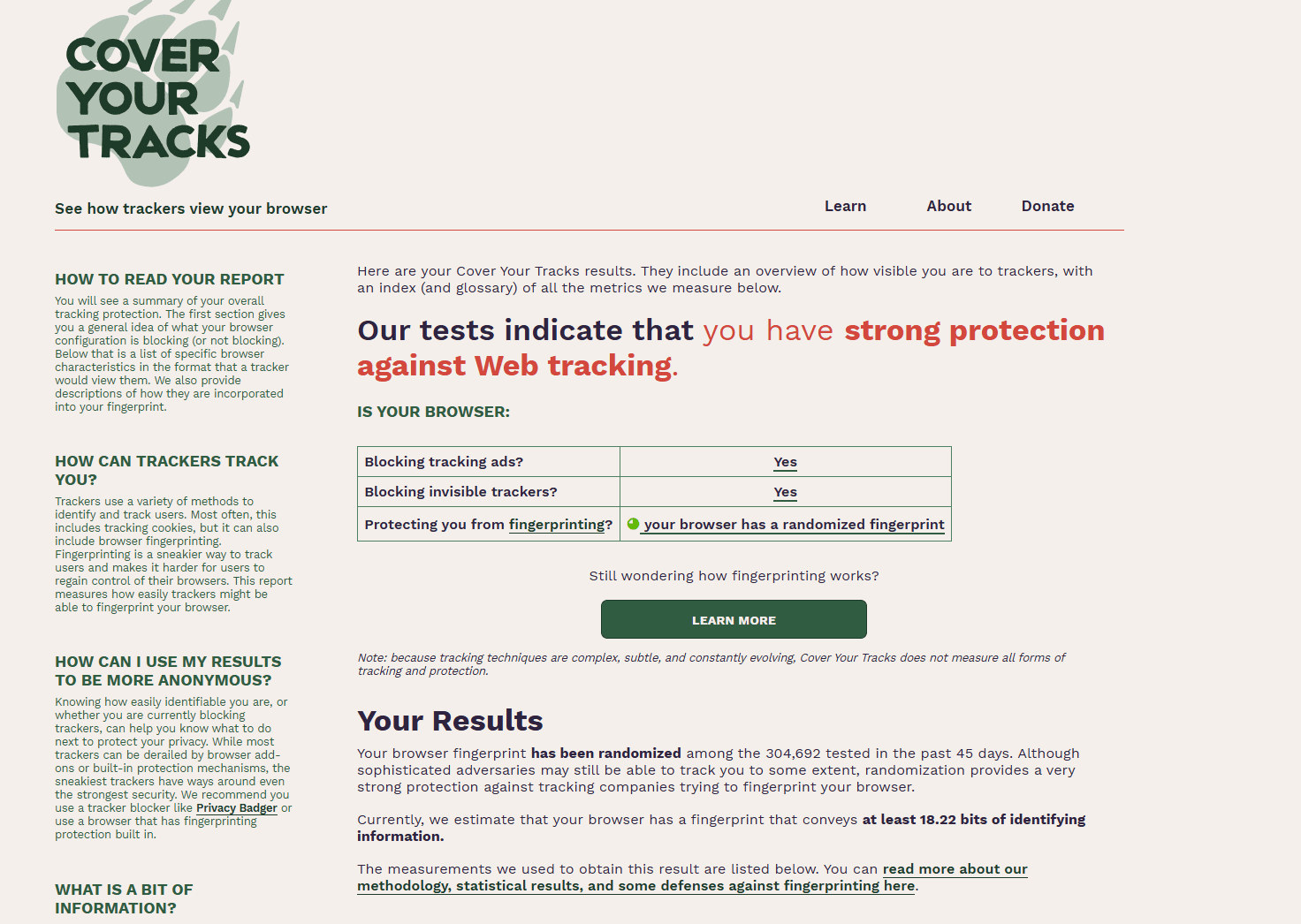
This is what Cover Your Tracks looks like when it's done. Run it. Compare.Chrome has no built-in fingerprinting protection. The irony of Chrome being the world's dominant browser while providing zero defense against a tracking technique that Google just made mainstream is worth noting. If you're using Chrome and this is a concern, that's a starting point worth revisiting.
Firefox is the most realistic option for most people who want actual protection. Enhanced Tracking Protection blocks known fingerprinting domains by default. For stronger coverage, about:config → privacy.resistFingerprinting set to true tells Firefox to standardize the signals fingerprinting scripts read — making your browser look more generic rather than unique. The Firefox hardening guide goes much deeper on this. If you haven't touched those settings, that's where to start.
Brave takes a different approach: instead of blocking fingerprinting scripts, it injects controlled noise into Canvas, WebGL, and audio responses so your fingerprint appears different on each site. Harder to track across sessions because the signature keeps shifting.
For extensions, uBlock Origin is the most practical — it blocks the JavaScript that runs fingerprinting before it executes, which is cleaner than trying to sanitize the outputs after the fact. If you want to go further than that without switching browsers, the zero-trust approach to extensions is the framework worth applying before you install anything.
The EFF's Cover Your Tracks is worth running before you change anything. It shows you how unique your current fingerprint is and how effectively your setup is blocking trackers. The result is usually more uncomfortable than people expect. Knowing the actual baseline is more useful than guessing.
Tor Browser is the only solution that fully solves the problem — it standardizes canvas output, disables WebGL readbacks, limits fonts to a small controlled list, and rate-limits timing sources. Everyone using Tor Browser looks identical to everyone else using it. That's the actual solution to fingerprinting: not hiding your signals, but making them the same as everyone else's. It's not a daily driver for most people, but for situations where fingerprint resistance genuinely matters, nothing else comes close.
The cookie era, for all its problems, had one thing going for it: there was a visible mechanism. Cookie banners are obnoxious, but they're an acknowledgment that tracking is happening and that you nominally have a say. Fingerprinting has no equivalent. It happened before 2025, it's happening now, and it's about to become considerably more common.
What changed this year is that the company that once called it "wrong" decided it wasn't. That's how these things tend to go — not with a dramatic announcement, but with a policy update that most people don't read, from a platform that most of the web depends on. Running Cover Your Tracks takes 30 seconds. It's worth knowing what you're actually dealing with before assuming your current setup handles it.