How to Sync Ghost Members to Kit Using n8n (No Zapier Needed)
Ghost removed its native Kit integration. Zapier's Ghost trigger is broken on self-hosted v5+. Here's how to wire Ghost members directly into Kit using n8n — free, self-hostable, ten minutes.
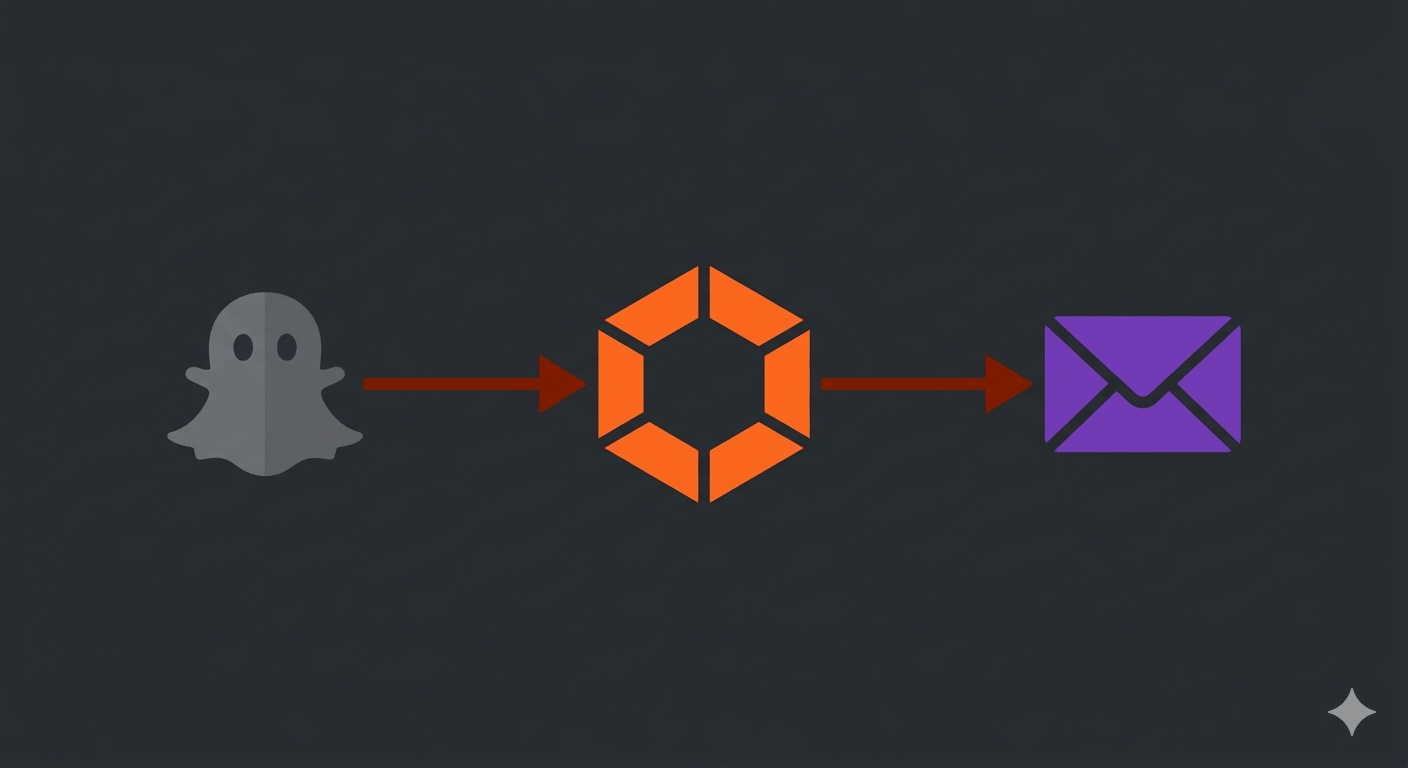
Ghost used to have a native ConvertKit integration. It's gone from self-hosted instances. Zapier has a Ghost trigger, but it hits /ghost/api/v2/admin/ — the wrong API path for modern Ghost — so authentication fails before you can even build a workflow.
n8n fixes both problems. It has native nodes for both Ghost webhooks and Kit, it's free to self-host, and the cloud free tier gives you 200 executions a month — more than enough for a blog that isn't signing up thousands of members daily. The whole workflow takes about ten minutes to set up.
What this does
Every time someone becomes a Ghost member — whether they submitted a subscribe form or created an account to leave a comment — Ghost fires a member.added webhook. n8n catches that webhook, extracts the email and name, and adds the person to a Kit form as a subscriber. From that point they're in your Kit sequences and broadcasts.
Kit subscribers who come in through your Kit popup forms bypass Ghost entirely. They never become Ghost members. That's fine — you only need the sync to flow one way.
Before you start
You'll need:
- A self-hosted Ghost instance accessible over HTTPS
- A Kit account with at least one form created — if you don't have one yet, Kit's free tier covers up to 10,000 subscribers
- n8n — either via their cloud free tier or self-hosted on your VPS
- Your Kit API key stored somewhere secure — 1Password if you're not already using a password manager
Set up n8n
Option A: n8n Cloud (start here)
Sign up at n8n.io. The free tier gives you 200 workflow executions per month with unlimited workflows and active automations. For a typical blog, 200 executions covers new member signups comfortably — that's 200 new Ghost members per month before you'd need to upgrade to the $20/month plan.
No server setup required. Start here, self-host later if you want full control.
Option B: Self-host on your VPS
If you're running Ghost on a VPS you already control, you can drop n8n onto the same box. The full Docker Compose setup, reverse proxy config, and persistence details are covered in How to Self-Host n8n on a VPS. Short version: Docker Compose, nginx reverse proxy, pin the image version, persist /home/node/.n8n.
If you need a VPS, three solid options: Hetzner for the best price-to-performance ratio (especially in Europe), DigitalOcean for a polished developer experience and strong documentation, and Vultr for the widest choice of locations and competitive bare-metal pricing.
Build the workflow in n8n
Open n8n, create a new workflow, and add two nodes.
Node 1: Webhook trigger
Search for "Webhook" and add it as your trigger. Set the HTTP method to POST. n8n will generate a webhook URL — copy it, you'll need it in Ghost.
Leave the path as the default or set something memorable like /ghost-member.
Node 2: ConvertKit — Add Subscriber to Form
Add a ConvertKit node. Under "Operation" select "Add Subscriber to Form."
For credentials, you'll need your Kit API key. Find it in Kit under Settings → Developer → API Keys. Store a copy in 1Password before pasting it into n8n — n8n encrypts credentials at rest, but you want an independent record.
For Form ID: go to the form you want new subscribers added to in Kit. The URL will contain the ID — app.kit.com/forms/123456/edit — the number is your form ID.
Map the fields:
- Email:
{{$json.body.member.current.email}} - First Name:
{{$json.body.member.current.name}}
Connect the Webhook node to the ConvertKit node, then activate the workflow using the toggle in the top right.
Note on field paths: When n8n receives a webhook in test mode, the payload is accessed at$json.member.current.email. In production mode, the body is wrapped one level deeper —$json.body.member.current.email. Use thebodypath. If your workflow worked in test but fails in production, this is likely why.
Register the webhook in Ghost
In Ghost Admin, go to Settings → Advanced → Integrations. Create a new custom integration — call it "n8n" — then inside it, add a webhook:
- Event: Member added
- Target URL: the webhook URL from your n8n Webhook node
Save. Ghost will now POST to n8n every time a new member is created.
Test it
The easiest test: go to Ghost Admin → Members → Add member manually with a real email address you can check.
Back in n8n, click your workflow and look at the execution log. You should see a successful run with the member payload. Then check Kit — that email should appear as a new subscriber on your form.
If n8n shows a failed execution, the most common cause is the webhook URL not being reachable. Ghost's server makes the outbound request, so your n8n instance needs to be publicly accessible over HTTPS — localhost URLs won't work.
One gotcha that catches almost everyone: n8n has two webhook URLs — a test URL (/webhook-test/...) and a production URL (/webhook/...). When you click "Listen for test event," n8n uses the test URL. Once you activate the workflow, it only listens on the production URL. If you pasted the test URL into Ghost, new members will trigger the webhook but n8n won't respond — the execution log will show nothing.
Fix: open the Webhook node, copy the Production URL (not the test one), and update the Target URL in Ghost Admin. Then test again by adding a member manually.
What gets synced
Every new Ghost member triggers the workflow — including people who created an account to comment on a post. That's intentional. Commenters opted in enough to hand over their email address, and your UFW firewall and server hardening mean you're running a secure enough setup that you can trust your own webhook pipeline.
The sync is one-way. Kit subscribers from your popup forms don't become Ghost members. Ghost members go to Kit. One email list, one place to send from.
Beyond member syncs
The same pattern works for other Ghost events. post.published can trigger a Slack notification or a social post. member.updated can update tags in Kit. Once the Webhook → action pattern is in place, n8n's node library covers most of what you'd otherwise pay Zapier for.
If you outgrow the cloud free tier or want your automation data to stay off third-party servers, self-hosting n8n on a VPS is the logical next step — see How to Self-Host n8n on a VPS for the full setup. For privacy-first infrastructure that pairs well with a self-hosted stack, Proton covers email, VPN, and cloud storage under one account built in Switzerland.
Did this work for your setup, or did you hit a different error than the ones covered here? Leave a comment — and if you've found a cleaner way to map Ghost member data to Kit fields, I'd genuinely like to hear it.