
How to Set Up a YubiKey: Google, GitHub, Bitwarden, and SSH
TOTP and push MFA are bypassed at industrial scale. Hardware keys aren't. Here's which YubiKey to buy and how to set it up on every account that matters.
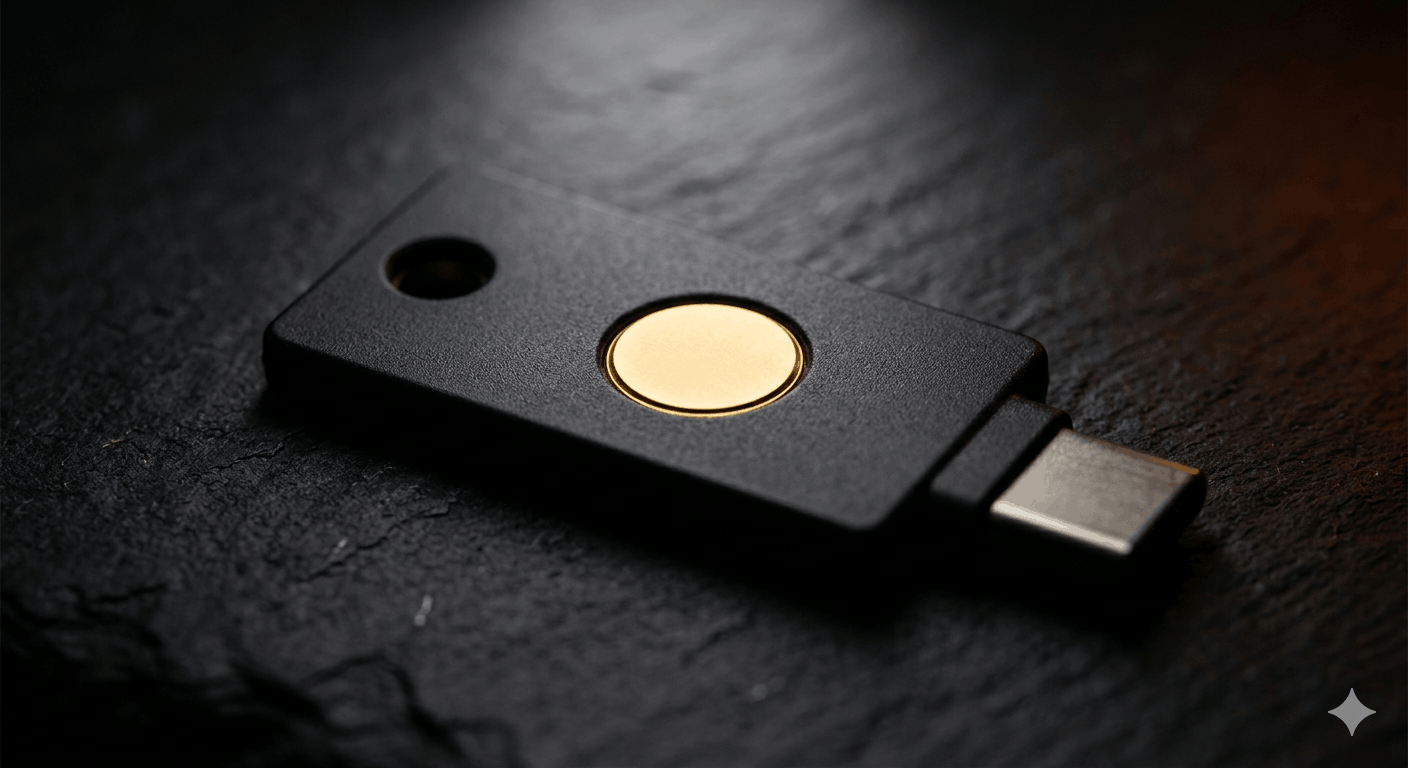
The attack kit Microsoft profiled in March 2026 (Tycoon2FA) didn't crack your authenticator app. It didn't need to. It sat between you and the real site, relayed your TOTP code in real time, and walked away with your session token. MFA checked. Account compromised.
That's adversary-in-the-middle proxying. It's not new, but it's now packaged as a service, widely deployed, and it makes TOTP-based MFA close to irrelevant against anyone running it. I covered the broader MFA bypass issue here, this post is the next step: what actually stops it, and how to set it up.
Why FIDO2 Is Structurally Different
When you authenticate with a YubiKey, your browser passes the exact origin to the key: accounts.google.com, not just "some site." The key signs a cryptographic challenge that includes that domain. If an AiTM proxy intercepts your login attempt from accounts-google-verify[.]com and tries to forward it, the signed assertion contains the attacker's domain, not Google's. The server rejects it. Not because the code expired or someone noticed. Because the math doesn't match.
Google's 2019 research with NYU and UCSD found that no users who relied exclusively on security keys fell victim to targeted phishing attacks (zero) during the study period. (That data is from 2019, so the numbers will have moved, but the underlying mechanism hasn't. FIDO2 origin binding is still why hardware keys work where TOTP doesn't.)
Which Key to Buy
Primary recommendation: YubiKey 5C NFC, $58.
USB-C is now the dominant port on modern laptops. NFC means you tap the key to your phone for Android and iOS authentication rather than needing an adapter or cable. It supports every protocol you're likely to need: FIDO2, OTP (for Bitwarden's OTP mode), PIV, OpenPGP, and FIDO2-backed SSH keys. One key, all use cases.
iPhone users: The YubiKey 5Ci at $85 adds a Lightning connector. If you primarily use a MacBook with an iPhone and don't want to rely on NFC, this is the one.
Budget option: Security Key NFC, $29. FIDO2 and U2F only. Covers Google, GitHub, and Bitwarden's WebAuthn mode without issue. The limitation: no OTP support, which rules out Bitwarden's YubiKey OTP configuration and any service that uses Yubico OTP specifically. Fine for most people; just know what you're giving up.
Google's Titan Key runs about $30 and is comparable security for straight FIDO2 use cases. No OTP, no OpenPGP, no PIV, and no FIDO2 SSH resident key support. If you're going beyond basic login authentication (SSH, Bitwarden OTP, PGP) it won't cover you.
Setup: Google
- Go to myaccount.google.com → Security → 2-Step Verification
- Under "Add more second steps," select Security keys → Add security key
- Insert your YubiKey into a USB port (or hold it near the NFC reader on your phone)
- Touch the gold disc on the key when prompted
- Name the key something you'll recognize later, "YubiKey 5C NFC primary" beats "Security Key 1"
If NFC isn't triggering on Android, make sure NFC is on and you're tapping the top-center of the phone where the NFC antenna typically lives.
Setup: GitHub
GitHub requires TOTP to already be configured before you can add a hardware key. If you haven't set that up yet, do it first under Settings → Password and authentication → Two-factor authentication.
Once TOTP is active:
- Settings → Password and authentication → Security keys → Register new security key
- Name it, insert the key, touch when prompted
For SSH and git signing with FIDO2 (requires OpenSSH 8.3+):
ssh-keygen -t ed25519-sk -O resident -O verify-required -C "[email protected]"
Then add the public key at Settings → SSH and GPG keys → New SSH key.
The -O resident flag stores the key handle on the YubiKey itself, so the key works across different machines without copying private key files. -O verify-required means every git push or SSH connection requires a physical touch. If you're on macOS, Apple's bundled OpenSSH doesn't support FIDO2, install it via Homebrew first: brew install openssh. Windows users are in a similar spot; the inbox OpenSSH doesn't support it either.
Setup: Bitwarden
Bitwarden's hardware key support requires a Premium account. That was $10/year for a long time and is now $19.80/year. Bitwarden raised Premium and Families pricing in January 2026, and existing subscribers get a one-time 25% discount on their first renewal at the new rate. Two modes are available: FIDO2 WebAuthn (stronger, recommended) and YubiKey OTP (broader client compatibility). The Security Key NFC covers WebAuthn. The 5C NFC covers both.
I've covered Bitwarden setup in detail, for hardware keys specifically:
- Log in to the web vault (not the browser extension, you can only configure 2FA here)
- Account Settings → Security → Two-step login
- Select YubiKey OTP or FIDO2 WebAuthn → follow prompts
- If using NFC on mobile, check "One of my keys supports NFC" during setup
- Up to 10 keys can be registered per account, hardware keys, native biometrics, or passkeys (this limit doubled in the same January 2026 update)
The most important step in this entire post: before you exit setup, copy your recovery code and put it somewhere offline. Bitwarden has no account recovery path. Lose access to your keys with no recovery code and the vault is gone.
Setup: SSH (FIDO2 Method)
The command above works for SSH servers too, not just GitHub. Full flow:
# Generate the FIDO2-backed key
ssh-keygen -t ed25519-sk -O resident -O verify-required -C "[email protected]"

# Copy public key to server
ssh-copy-id -i ~/.ssh/id_ed25519_sk.pub [email protected]
Your server needs OpenSSH 8.3 or newer. Most current Ubuntu and Debian releases ship 8.4+, so this is usually fine. On first connection after setup, the key requires a physical touch, that's -O verify-required doing its job.
If you're running multiple servers, the first-24-hours-on-a-new-VPS setup I wrote covers the broader SSH hardening context (disabling password auth, setting up key-based login) and hardware key authentication layers on top of that naturally.
Register Two Keys
Every service above supports multiple hardware keys. Register a backup key at the same time you register your primary, not later, when it's convenient. "I'll add a second one eventually" is how people end up locked out of Google accounts at 2am with their primary key lost in a laptop bag they can't find.
The backup doesn't need to be expensive. A $29 Security Key NFC works fine as a backup for FIDO2-registered services. Store it somewhere separate from your primary, different physical location, not just a different pocket.
What This Doesn't Protect Against
Hardware keys are not a complete answer, just the right answer to a specific and very common attack class. A few things they don't solve:
Compromised device. If malware is running on your machine at the moment you authenticate, it can act in your authenticated session immediately after you touch the key. The key's job ends at authentication.
Lost key with no backup. This is documented constantly as a lockout failure mode. The backup key rule above is not optional.
Services that don't support FIDO2. Many still don't. For those, you're back to TOTP, which is meaningfully better than SMS, but the AiTM bypass problem applies. Going passwordless covers the broader trajectory of where authentication is heading on that front.
The key is a tool with a specific job. It does that job exceptionally well.